API Docs Generator in Mewayz (Formerly Seemless)
The API Docs Generator Add-On provides an in-app, browsable reference for the Mewayz (Formerly Seemless) REST API.
Mewayz (Formerly Seemless)-original module, no Mewayz (Formerly Seemless) upstream. Documentation authored from package source at
packages/mewayz/ApiDocsGenerator/.
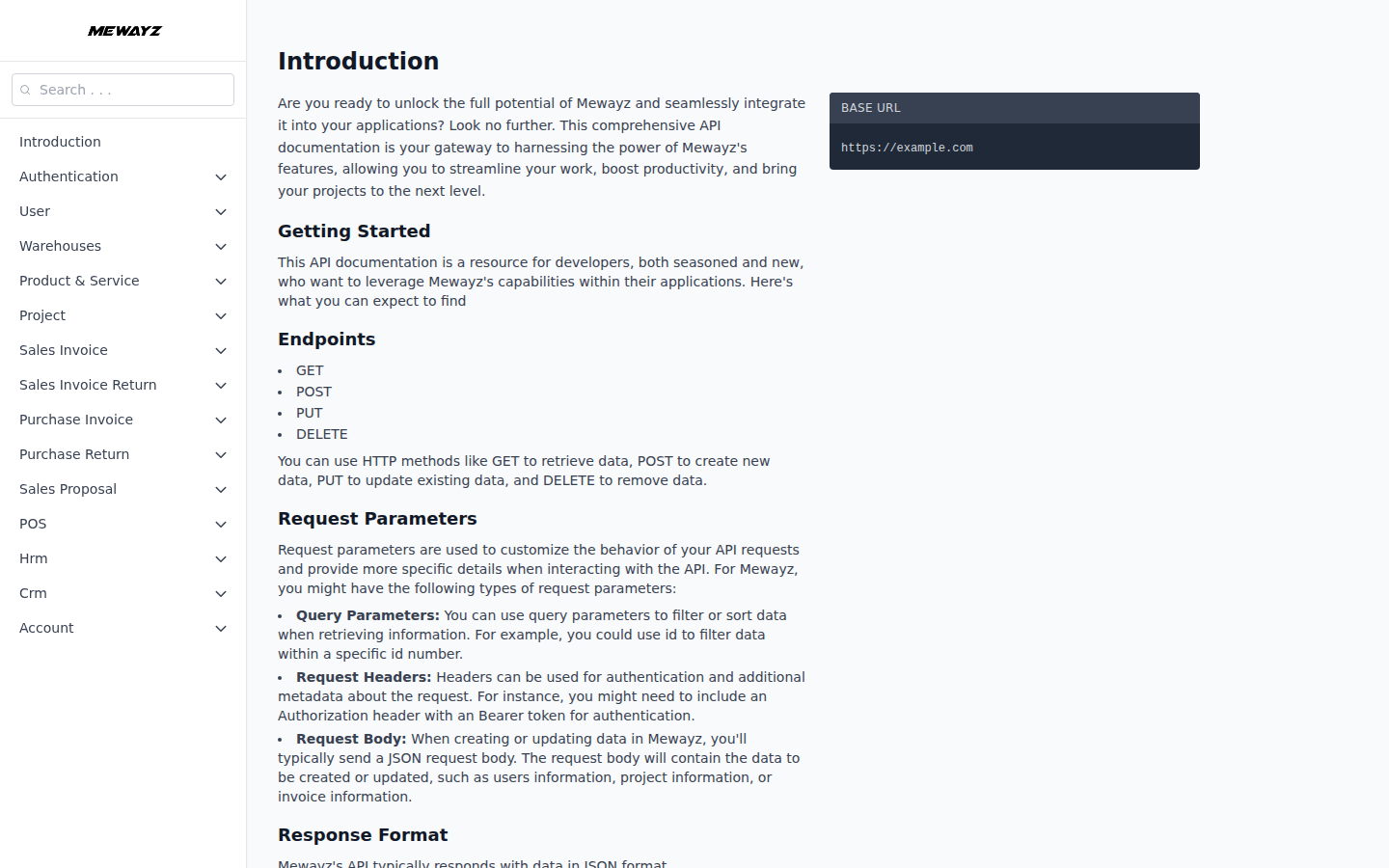
Introduction
The API Docs Generator Add-On gives operators and third-party developers a one-page, searchable reference for the Mewayz (Formerly Seemless) REST API. It is the in-app equivalent of a Swagger UI, every documented endpoint, request schema, response schema, and example payload is rendered inside the admin so a developer never has to leave the platform to integrate.
The documentation surface is schema-driven: the package loads pre-built JSON files from src/documentation/ (one per domain: items.json, project.json, account.json, etc.), keyed by a master config.json that lists which domains to render and their display names. This means the docs are accurate to the actual contract, they don't drift away from the routes because every release ships both the routes and the matching JSON schema together.
How To Install The Add-On?
To Set Up the API Docs Generator Add-On, you can follow this link: Setup Add-On.
The Add-On is gated by PlanModuleCheck:ApiDocsGenerator. Activate it on a plan or per-tenant via the Add-Ons admin page; once active, an "API Docs" entry appears in the sidebar.
How to Access the API Docs
- Sign in to Mewayz (Formerly Seemless) and navigate to API Docs in the sidebar.
- The single-page reference loads at
/api-docs. The route is auth- - The reference is grouped by domain. Each domain lists every
gated (web + auth + verified + PlanModuleCheck), so anonymous visitors are redirected to the login page.
available endpoint with the HTTP verb, path, required headers, request body schema, and example response.
Authenticating to the Mewayz (Formerly Seemless) API
All Mewayz (Formerly Seemless) API endpoints documented here are protected by **Laravel Sanctum** and require a bearer token in the Authorization header. The content-type is enforced via the api.json middleware, every request must include Content-Type: application/vnd.api+json (or equivalent JSON header) or the request is rejected before reaching the controller.
To issue a token:
- From the operator's profile menu, open API Tokens.
- Click Create Token, name it, and copy the secret immediately
- Pass the token on every API call:
Authorization: Bearer <token>.
(the secret is only shown once).
Endpoint Coverage
The bundled JSON schemas cover the following domains:
- User Management —
/api/users,/api/user/store|update|delete|reset-password|verify - Products & Services —
/api/products,/api/product/create|update|detail|delete, plus categories, taxes, units, warehouse stocks - Project Management —
/api/projects,/api/project/{id}/task-board, milestones, bug tracking - Sales & Purchase Invoicing —
/api/sales-invoice,/api/sales-invoice-return,/api/purchase-invoice,/api/purchase-return - Warehouse & Inventory Transfers —
/api/warehouse,/api/warehouse/product/{warehouse_id},/api/transfer - Sales Proposals —
/api/sales-proposal - HRM —
/api/employees,/api/attendance,/api/leave-application,/api/payrolls - CRM & Leads —
/api/leads,/api/deal/*,/api/pipeline,/api/lead-stage,/api/labels,/api/sources - Accounting —
/api/chart-of-accounts,/api/customers,/api/vendors,/api/bank-accounts,/api/revenues,/api/expenses - POS —
/api/pos
Permissions
Visibility of the API Docs entry in the sidebar is controlled by Spatie permission manage-api-docs. Operators without this permission do not see the menu entry and receive a 403 if they visit /api-docs directly.
Operator Notes
- The documentation is read-only today, there is no "Try it"
- The JSON schemas live in source control at
- White-label tenants automatically see the docs surface scoped to
button to execute calls live from the docs page. (Use a tool like Postman or curl to test against the documented endpoints.)
packages/mewayz/ApiDocsGenerator/src/documentation/. When new API endpoints ship, the matching JSON file is added or extended in the same release.
their own brand name and base URL; no separate documentation needs to be maintained per tenant.