Holidayz in Mewayz (Formerly Seemless)
The Holidayz Add-On is a complete hotel and vacation-rental booking platform, public-facing website plus operator admin.
Mewayz (Formerly Seemless)-original module, no Mewayz (Formerly Seemless) upstream. Documentation authored from package source at
packages/mewayz/Holidayz/.
Introduction
The Holidayz Add-On is a fully-fledged vacation rental and hotel booking module: a public-facing booking website (similar layout to Airbnb / Booking.com) bundled with an operator admin to manage hotels, rooms, pricing, calendars, customers, and reservations.
It is independent from the generic Mewayz (Formerly Seemless) Bookings module — Holidayz keeps its own holidayz_* set of tables and is purpose- built for hotel and vacation-rental workflows: room features, room facilities, multi-night booking windows, customer accounts, coupons, blog content, and a full marketing surface (hero, blog, about, FAQ, testimonials).
How To Install The Add-On?
To Set Up the Holidayz Add-On, you can follow this link: Setup Add-On.
The Add-On is gated by PlanModuleCheck:Holidayz. Activate it on the operator's plan or per-tenant via the Add-Ons admin page.
Three User Roles
Holidayz has three distinct user types:
- Admin / Company — The hotel owner. Has full management of the
- Staff — Limited operator. Sub-role under the Company; can
- Customer — Public visitor. Registers with email + password,
property: creates and edits room types, sets pricing, manages coupons, views the dashboard with booking / revenue / occupancy analytics, approves or rejects bookings, manages the customer database, handles reviews and contact inquiries, and configures branding plus website content (banners, FAQs, testimonials, social links).
help with customer support, view bookings, and run basic operations under the Company's oversight.
browses hotel listings, checks room availability, adds rooms to a cart, applies coupons, completes checkout, views past bookings plus receipts, and can submit reviews + contact messages.
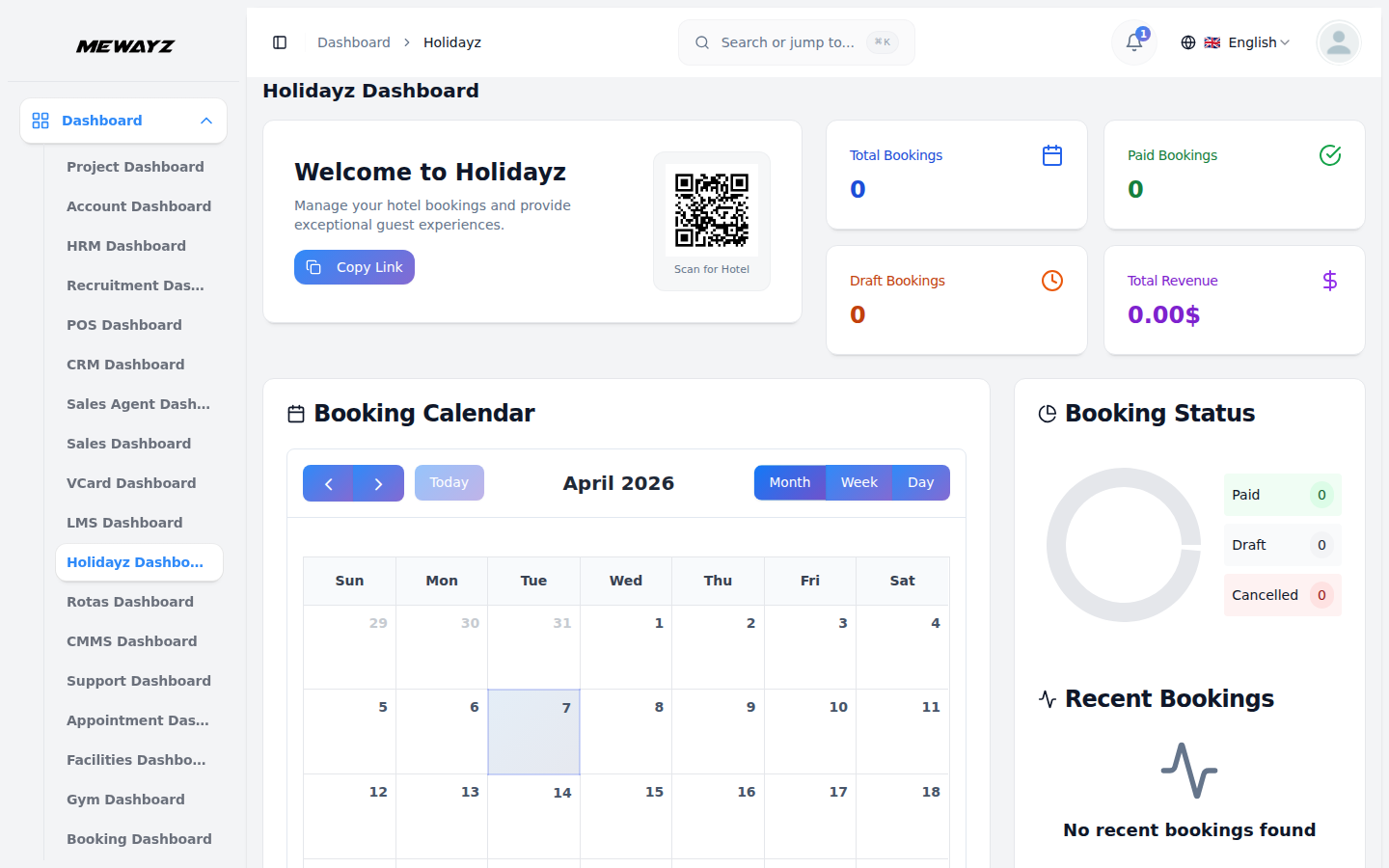
Holidayz Dashboard
- Navigate to Holidayz in the sidebar.
- The dashboard at
/holidayz/shows: - Total bookings card with breakdown by status (paid /
- Revenue card with month-on-month trend
- Occupancy rate card computed from available rooms ÷ booked
- Recent bookings list with quick approve / reject actions
- Upcoming check-ins for the next 7 days
pending / cancelled)
room-nights
Room Management
Browse Rooms
- Navigate to Holidayz → Rooms.
- Each row shows room name, room type, base price, current
availability status, and quick actions.
Create a Room
- Click + New Room.
- Form fields:
- Name + Description
- Base price per night
- Capacity (max guests)
- Bed configuration (queen, twin, etc.)
- Room features — Multi-select (Wi-Fi, AC, TV, etc.)
- Facilities — Multi-select (pool, gym, breakfast included)
- Tax rates — Multi-select from
holidayz_room_taxes - Photos — Multi-upload; first photo becomes the cover
- Tags — For search/filter on the public site
- Click Save.
Room Features
- Holidayz → Room Features — CRUD for "feature" amenities
(Wi-Fi, AC, TV, mini-bar, etc.) that can be attached to rooms.
Facilities
- Holidayz → Facilities — CRUD for hotel-level facilities (pool,
gym, parking, breakfast). Facilities can be parent → child hierarchical (e.g. "Spa → Massage", "Spa → Hammam").
Coupon Management
- Navigate to Holidayz → Coupons.
- Create discount codes with:
- Code, what the customer types at checkout
- Discount type — Percentage or fixed amount
- Discount value
- Validity window —
valid_fromandvalid_todates - Usage limit — Max total redemptions
- Per-customer limit — Max redemptions per customer
- Usage tracked in
holidayz_coupon_usages.
Hotel Customers
- Navigate to Holidayz → Hotel Customers.
- Operator-managed customer database, useful for managing repeat
- Each customer has: name, email, phone, DOB, address, identification
- Customers can also self-register through the public site at
guests and reaching them out for marketing.
number (for hotel registration compliance).
/{userSlug}/hotel/register.
Room Bookings
- Navigate to Holidayz → Room Bookings.
- The full booking list across all rooms and customers.
- Statuses: draft → paid → cancelled.
- Per-row actions: view detail, approve, reject, edit,
delete, print (PDF receipt).
Booking Lifecycle
- Customer adds rooms to cart on the public site.
- Customer applies a coupon (optional) and proceeds to checkout.
- Payment goes through the standard Mewayz (Formerly Seemless) PSP layer (Stripe,
- After successful payment, the booking enters paid status. If
- Cancellation creates a refund per the operator's policy.
Razorpay, PayPal, etc., whichever gateways are active on the platform).
admin approval is required, the booking sits in pending until an operator clicks Approve.
Reviews
- Navigate to Holidayz → Reviews.
- Customer-submitted reviews of rooms (post-stay) with star rating
- Operators can view, hide, or delete reviews.
and comment.
Contact, Newsletters, Blogs
- Contacts — Inbound messages from the public contact form
- Newsletters — Email list captured via the newsletter signup
- Blogs — Full blog CRUD; published posts appear at
/{userSlug}/hotel/blog
System Setup
The System Setup menu controls the operator's public website:
- Brand Settings — Logo, favicon, hotel name
- Banner Settings — Hero banner image + copy
- Featured Settings — Which rooms to feature on the homepage
- Destinations Settings — Featured destinations
- Choose-Us Settings — "Why choose us" section
- Testimonials Settings — Customer testimonials
- Travel Tips Settings — Editorial content
- Newsletter Settings — Newsletter section copy
- Social Links Settings — Twitter / IG / FB / etc. links
- About-Us Settings — About page content
- Contact Settings — Contact page content
- Custom Pages — Custom CMS pages (privacy, terms, etc.)
- FAQ Settings — FAQ entries
Public Frontend Surface
The public website is mounted at /{userSlug}/hotel/... where {userSlug} is the operator's tenant slug.
| Path | Purpose | |||
|---|---|---|---|---|
/{userSlug}/hotel/ | Homepage with hero, featured rooms, blog | |||
/{userSlug}/hotel/hotels | Hotel + room listing (search + filter) | |||
/{userSlug}/hotel/hotel/{encryptedRoom} | Single room detail page (signed URL hides internal ID) | |||
| `/{userSlug}/hotel/about | contact | blog | faq` | Marketing pages |
/{userSlug}/hotel/cart | Cart, check availability, add/remove items | |||
/{userSlug}/hotel/checkout | Checkout, apply/remove coupons, pay | |||
/{userSlug}/hotel/booking-confirm/{encryptedBooking} | Confirmation page | |||
/{userSlug}/hotel/booking/{encryptedBooking}/receipt | Print-friendly receipt | |||
/{userSlug}/hotel/login, /register, /forgot-password | Customer auth (guest-only) | |||
/{userSlug}/hotel/profile | Authenticated customer profile |
Database Tables
The package adds 20+ tables, all prefixed holidayz_:
holidayz_setups,holidayz_destinations,holidayz_custom_pagesholidayz_rooms,holidayz_room_images,holidayz_room_tags,holidayz_facilities,holidayz_facility_childrenholidayz_coupons,holidayz_coupon_usagesholidayz_hotel_customers,holidayz_password_resetsholidayz_room_bookings,holidayz_room_booking_items,holidayz_carts,holidayz_cart_items, plus their _facilitiesholidayz_contacts,holidayz_reviewsholidayz_blogs,holidayz_newsletters
holidayz_room_features, holidayz_room_taxes, holidayz_room_room_features
holidayz_room_booking_item_facilities, holidayz_room_booking_item_taxes
and _taxes pivots
Permissions
Visibility of the admin sidebar and access to admin routes is controlled by Spatie permissions, primarily `manage-holidayz- dashboard` and per-resource permissions (manage-holidayz-rooms, manage-holidayz-bookings, etc.). Assign via **Settings → Roles & Permissions**.
Operator Notes
- Encrypted IDs — Both room detail pages and booking
- Payment integration — Holidayz uses the same shared Mewayz (Formerly Seemless)
- Multi-language content — Blog posts, hotel descriptions, and
- Independent from Bookings — Holidayz is purpose-built for
- The
userSlugin public URLs maps to the operator's tenant, so
confirmations use Laravel signed URLs ({encryptedRoom}, {encryptedBooking}) so internal numeric IDs aren't exposed in the URL bar.
PSP layer; whichever payment gateways are active on the platform (Stripe, Razorpay, PayPal, etc.) work automatically for hotel checkout, no separate gateway configuration is needed.
custom pages support the spatie/laravel-translatable pattern used across Mewayz (Formerly Seemless).
hotels and does not share tables with the generic Bookings module.
white-label resellers each have their own Holidayz website at their own slug.